Convert a Crystal Report to IFS Report Studio
Upload a Crystal Reports file for an Operational Report and we'll send back a Report Studio layout that's most of the way there, free and emailed straight to you.
From .rpt to .rep
- Upload one report. Send us a single Crystal Reports (
.rpt) file and the email address to reply to. - We convert and refine it. Your report is converted into the format IFS Cloud Report Studio supports, then cleaned up — legacy SQL data sources removed and fields remapped to IFS Cloud report data where we can.
- You get it back by email. You'll receive the Report Studio (
.rep) file plus a summary of what converted cleanly and what still needs a manual look.
Expect a layout that's very close to your original. Some values can't always be resolved automatically, so a little re-mapping is usually still needed, and sub-reports may need manual work. Read more about how the conversion works.
One report at a time. Accepted file type: .rpt. Maximum size 7MB.
Report over 7MB? Two things usually make it large
Most reports are well under the limit. A big one is almost always down to one of these, and both are quick to fix in Crystal Reports. Work on a copy so your original is untouched.
- Large pictures. Logos and images are stored inside the
.rptat full size, and one high-resolution logo can be over 10MB. Shrink the image in any image editor (around 500 pixels wide, saved as a PNG or JPG well under 200KB is plenty for a report), replace the picture in the report, and save. This also keeps the converted.repsmall. - Sample data saved with the report. When you preview a report in Crystal, the rows it fetched can be saved inside the file. In Crystal Reports go to File → Report Options, untick Save Data with Report, and save. We don't need any data: only the layout is converted, and nothing connects to your database.
Still too big, or not sure which it is? Get in touch and we can look at it with you.
Need a hand with a larger reporting estate? Get in touch.
A summary you can actually act on
Alongside your converted .rep file, every submission gets a plain-English summary: what mapped automatically, what we assumed and why, and exactly what still needs a look before you use the report. These are real pages from an example conversion.
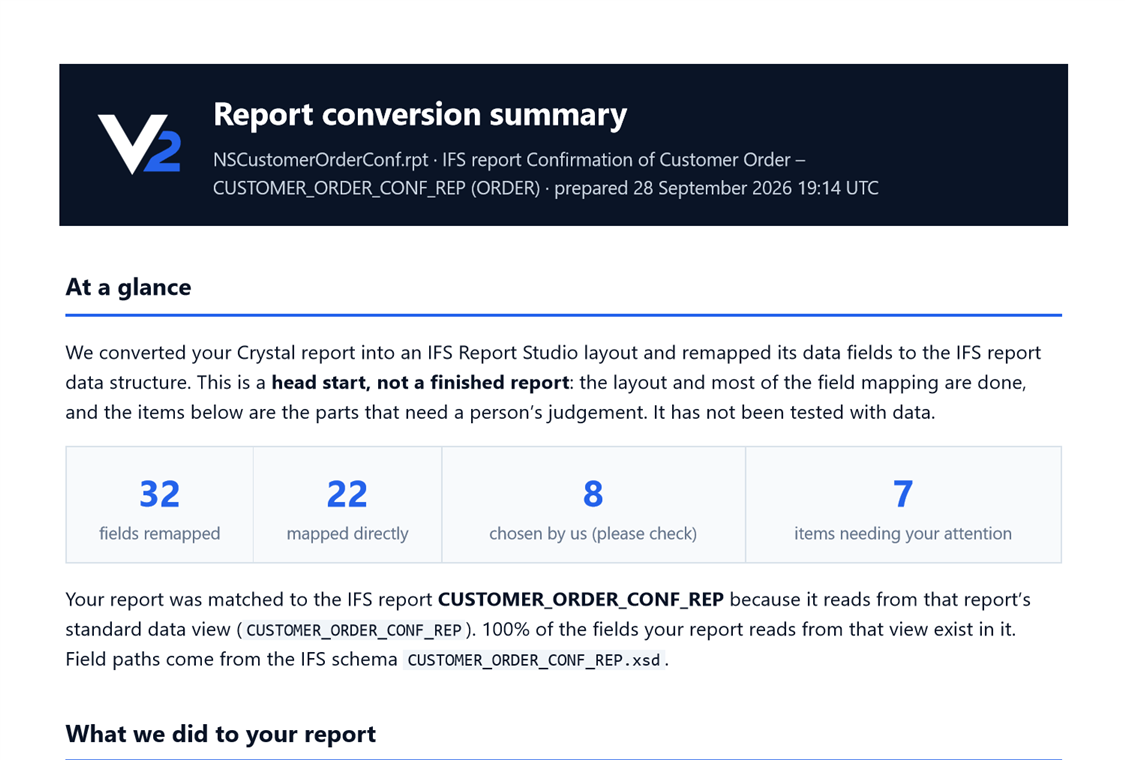
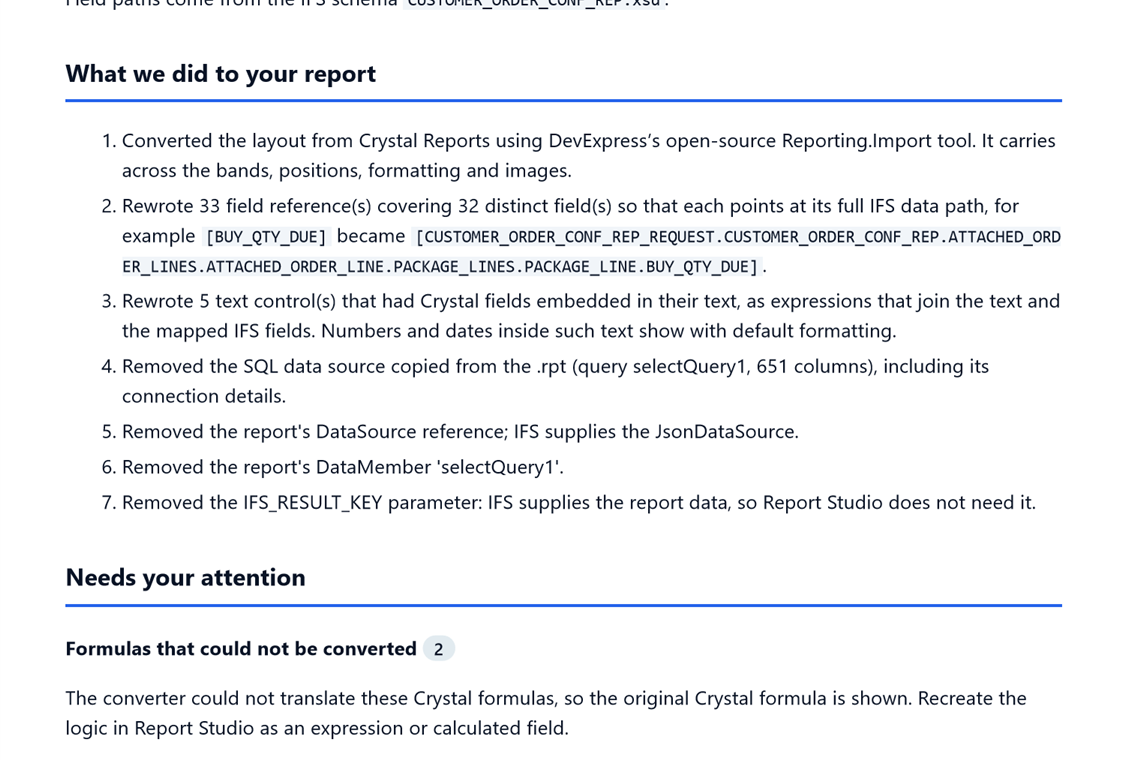
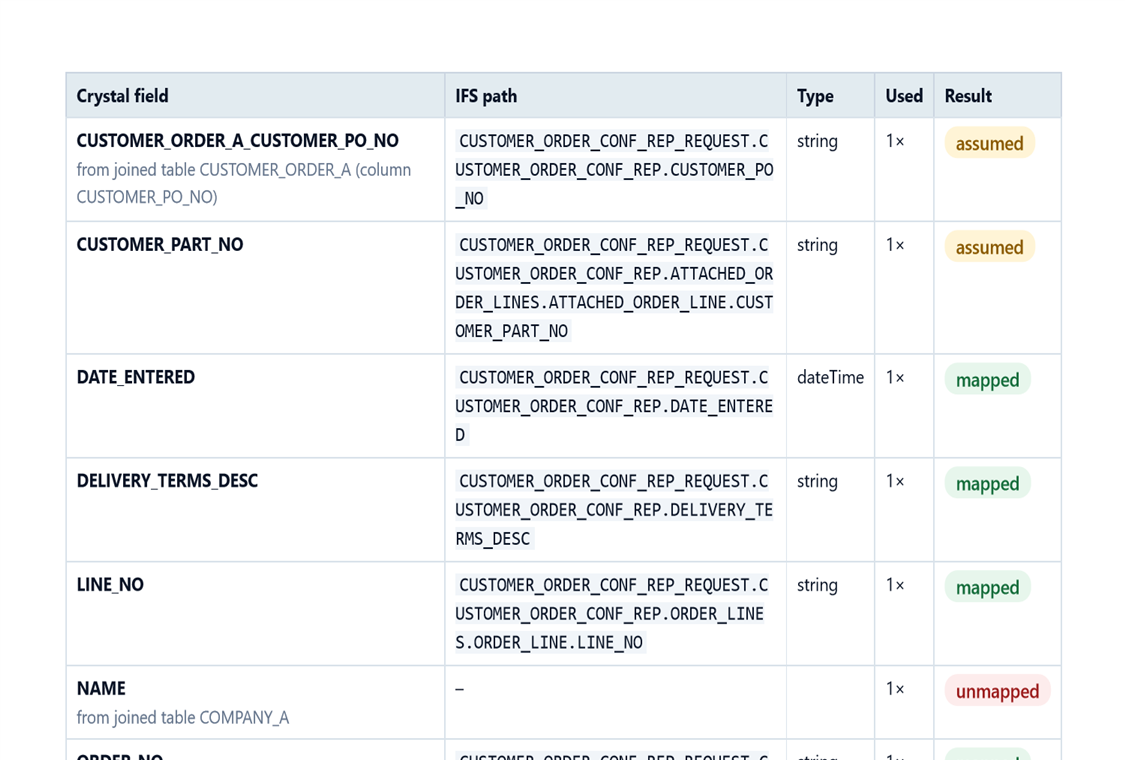
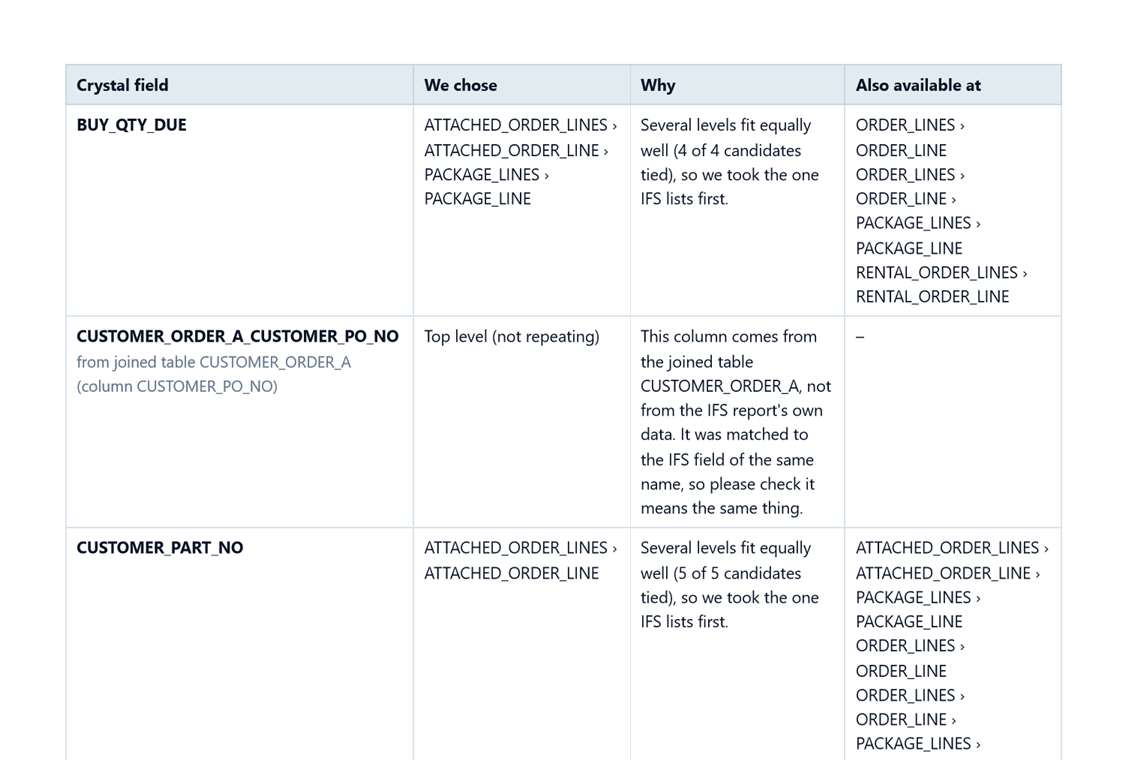
A real conversion summary. Yours will reflect your own report.