V2 SignFlow
Upload a document, tag where each signer needs to act, and send it out for signature — with reminders, signing order and a branded signing page handled for you. Built by V2 with IFS Cloud customers in mind.
From upload to signed, in a few screens
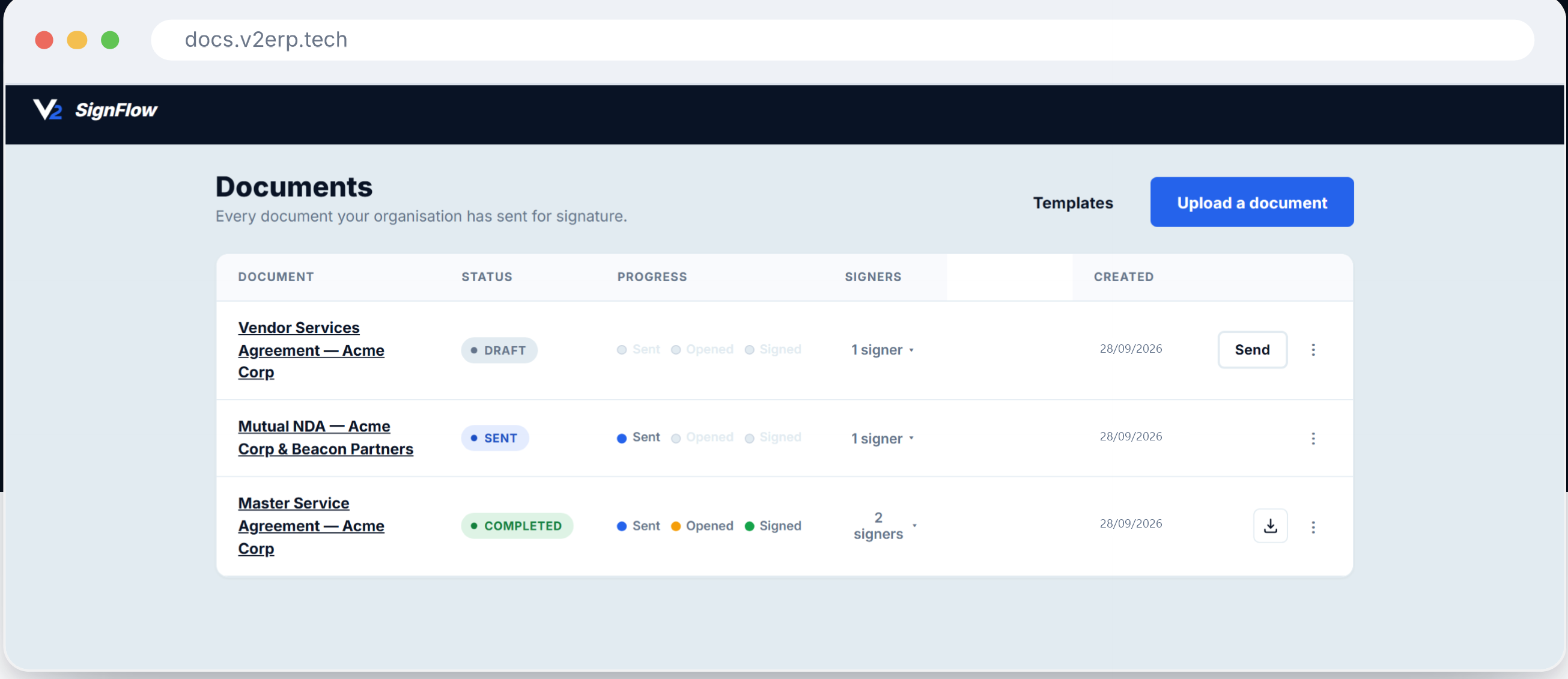
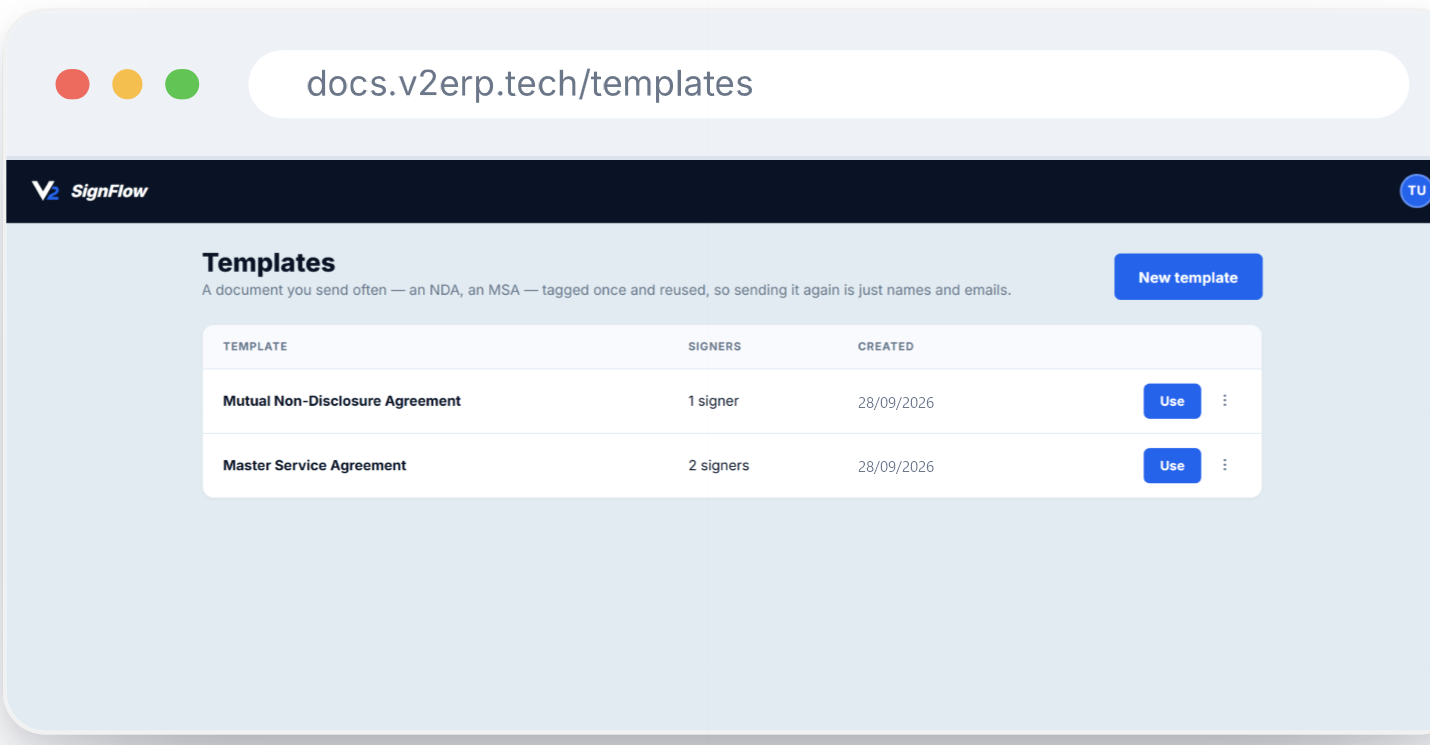
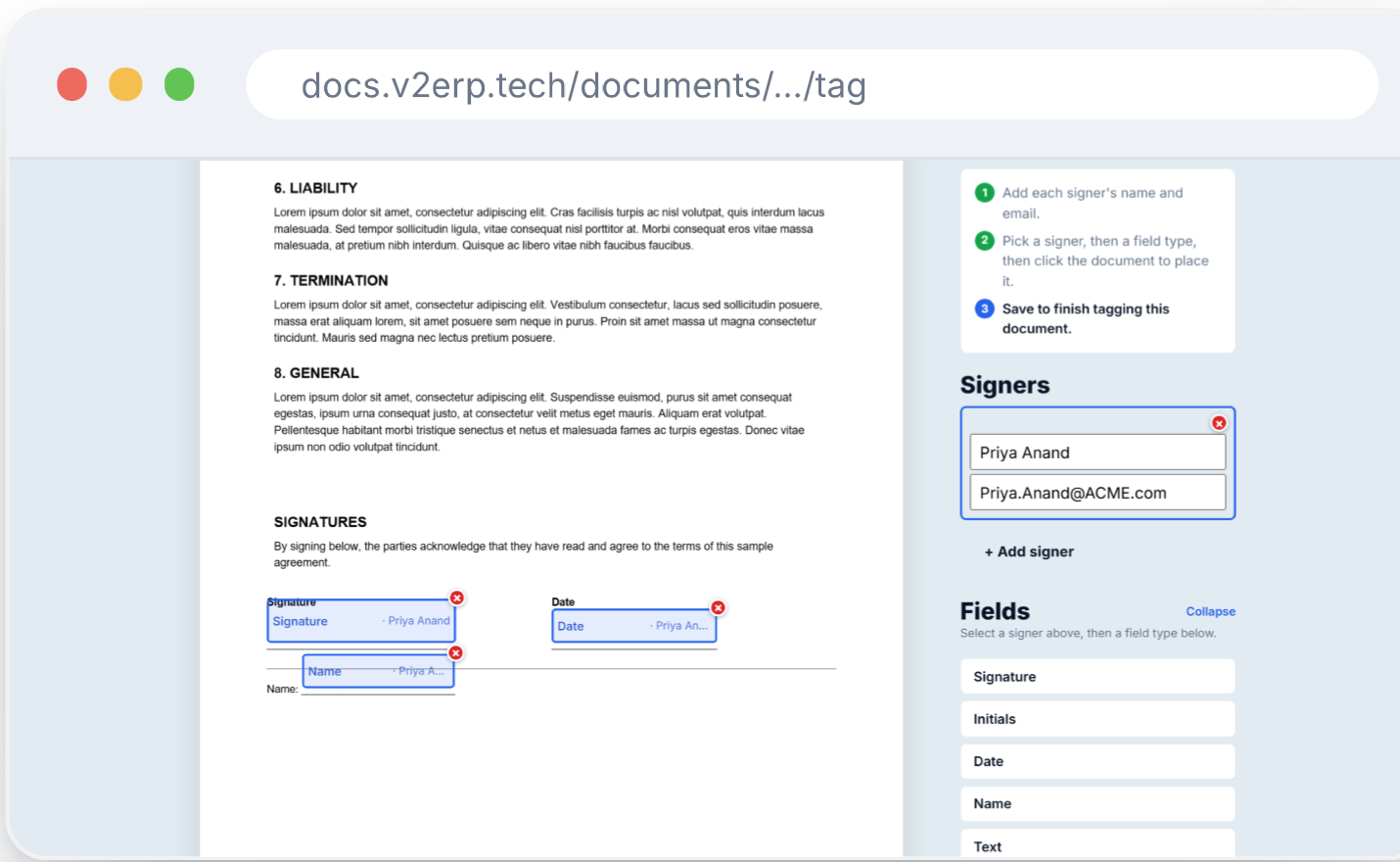
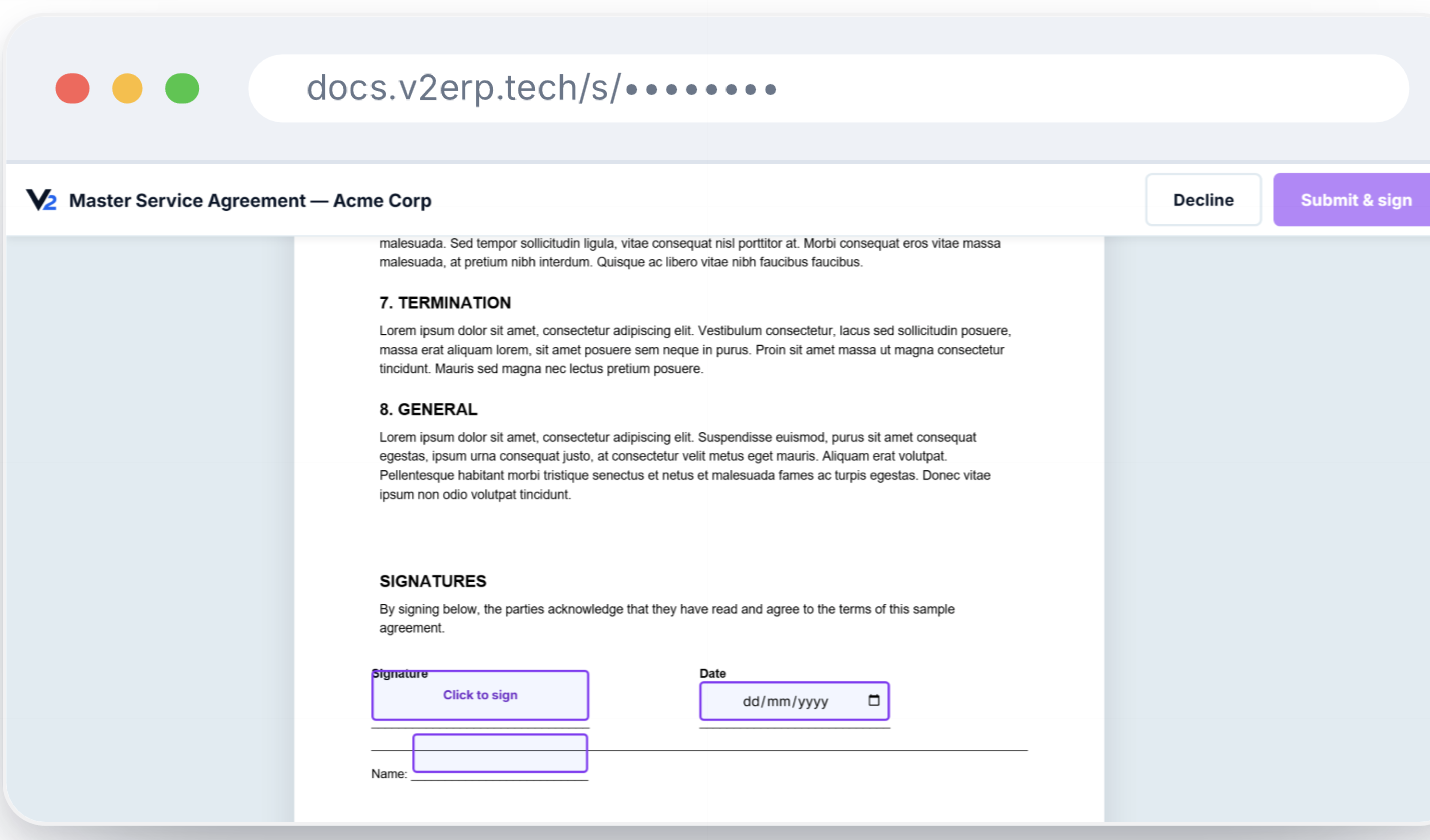
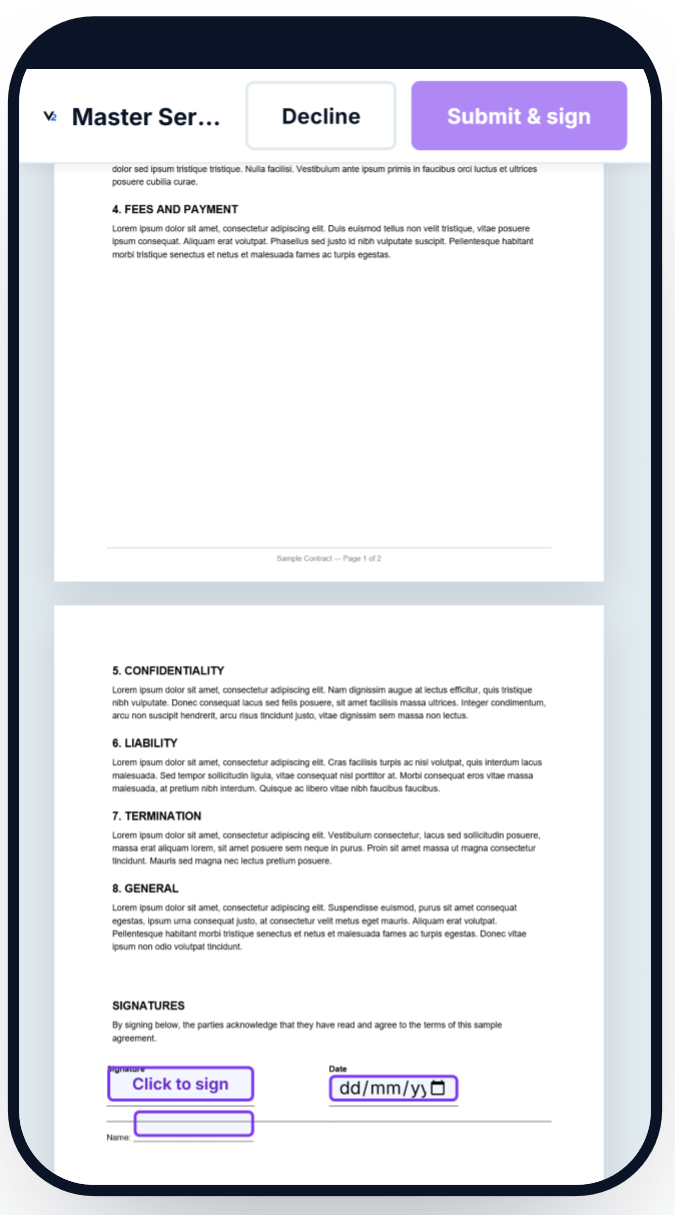
These are real screens from SignFlow: the documents dashboard, saved templates, tagging a document for signature, and the signing experience on desktop and mobile.
Everything you need to get a document signed
Upload & tag
Upload any document and place signature, initials, date, name and text fields exactly where each signer needs to act.
Multiple signers, in order
Add as many signers as a document needs, and enforce the order they sign in when it matters.
Decline to sign
A signer can decline with a reason, so a stalled document never leaves you guessing why.
Reusable templates
Tag a document you send often — an NDA, an MSA — once, then reuse it with just new names and emails.
Reminders, handled
Notification emails go out automatically as a document moves, with a per-user preference to control the volume.
Signs on any device
A signer on their phone gets the same tidy, tap-to-sign experience as one at a desk.
Your branding
The documents dashboard and signing page carry your own branding, not ours.
Sign in your way
Database login or Entra ID single sign-on — selectable per client, so it fits how your organisation already works.
Built for IFS Cloud, integration on the way
SignFlow already has a per-client IFS IAM connection available in its admin settings — the environment URL and credentials IFS Cloud needs to recognise a client are in place today. Sending IFS Cloud documents straight to SignFlow for signature, so a contract or SOW can go out for e-signature without leaving your IFS Cloud workflow, is under active development and not yet live. If that integration matters to your rollout, get in touch and we'll let you know where it stands.
Want to see SignFlow on your own documents?
Tell us a bit about what you need signed and how often, and we'll walk you through it.
Contact Us